
A practical guide to business central upgrade
Planning a Business Central upgrade? This guide covers wave releases, major version jumps, NAV migrations, and how to prepare your system before the upgrade starts.
Microsoft releases two wave updates to Business Central every year, and a major version roughly every three years. For most teams, the words "business central upgrade" arrive as an IT ticket — and stay there for months. This guide explains what the different upgrade types involve, how to prepare your environment, and where the real risks sit.
The three types of Business Central upgrade
Not every BC upgrade is the same. Understanding which one you are dealing with changes the preparation required.
Wave release (minor update)
Twice a year — typically April and October — Microsoft releases a wave update to Business Central Online. For cloud tenants, these updates are applied automatically in a preview window before they go live. Your customisations and extensions are tested against the new version in a sandbox environment, and Microsoft flags incompatibilities. Most teams on standard BC need to do little except review the wave release notes and test their key processes.
Major version upgrade
A major version upgrade — for example, moving from BC 2022 to BC 2025 — involves more risk for tenants with per-tenant extensions or integrations. Extensions written against an older API surface may need updating. For on-premises tenants, a major upgrade also involves upgrading the platform, which is a full-day project.
NAV-to-BC migration
This is the most complex type of business central upgrade. Moving from Dynamics NAV (any version from NAV 2009 to NAV 2018) to Business Central involves data migration, a full chart of accounts review, and — almost always — a process redesign because NAV and BC handle posting groups, dimensions, and multi-currency differently.
What to check before you start a Business Central upgrade
Upgrading a poorly configured system moves the problems forward in time without solving them. Before committing to an upgrade, answer four questions:
1. Do your sub-ledgers agree with the GL? If your aged debtors, aged creditors, and bank reconciliation do not tie to the general ledger, fixing this after the upgrade is harder — not easier.
2. Are your extensions supported on the target version? If you use any third-party BC extensions (Jet Reports, Yavrio, MobileNAV), check that the publisher has a certified version for the target release.
3. Is your data clean enough to migrate? Duplicate customers, open entries with no underlying document, and posting groups pointing to deleted GL accounts will all fail during migration.
4. Do you have a rollback plan? For on-premises upgrades, a clean backup and a tested rollback procedure are non-negotiable.
How long does a Business Central upgrade take?
Timeline depends heavily on the upgrade type and the state of the source system.
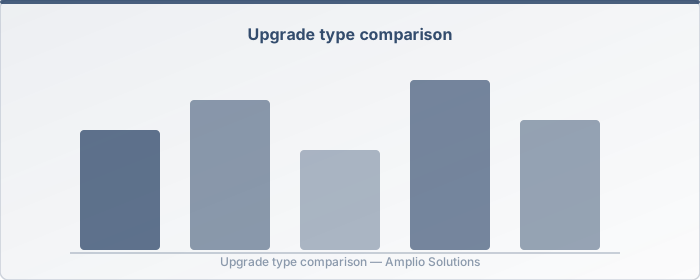
| Upgrade type | Typical elapsed time |
|---|---|
| Wave release (cloud, clean system) | 1–3 days of testing |
| Major version (cloud, standard BC) | 1–2 weeks |
| Major version (on-premises, with extensions) | 2–6 weeks |
| NAV-to-BC migration | 6–16 weeks |
These are elapsed times, not effort hours. The difference matters: a two-week upgrade typically involves one to two days of consultant time spread across the elapsed period.
FastBC: compressed timelines for NAV-to-BC projects
For businesses moving from NAV to Business Central, Amplio's FastBC service compresses the implementation timeline by using a pre-configured Business Central environment that covers the UK payroll, VAT, and banking integrations that typically add weeks to a standard project. FastBC is designed for businesses that have outgrown NAV's reporting and multi-currency handling but do not want a six-month implementation.
Getting the upgrade right the first time
The most common reason business central upgrade projects overrun is starting before the source environment is understood. Amplio's free BC review is a no-cost assessment of your current system — it finds the configuration issues that will cause problems during migration before the project starts, not halfway through it.
If you are planning an upgrade in the next six months, booking the review first is the cheapest insurance available.
Lee Nash is the founder of Amplio Solutions, a Microsoft partner specialising in Business Central implementation, upgrade, and optimisation for UK businesses.
Author: Lee Nash